
KEY HIGHLIGHTS
- HeyMax Card Maximiser now tracks UOB PPV & UOB Visa Signature bonus caps automatically
- No more manual tracking of messy sub-caps and minimum spend
- Huge quality-of-life upgrade for miles collectors in Singapore
If you’re using the UOB Preferred Platinum Visa (PPV) or UOB Visa Signature, tracking bonus spend has quietly become a headache in 2025.
Earlier this year, UOB introduced bonus sub-caps. Sounds harmless. In reality? Way more mental maths than before.
Here’s why this matters — and why HeyMax Card Maximiser fixing this is a big deal.
| Card | What Changed | Why It’s Painful |
|---|---|---|
| UOB Preferred Platinum Visa | S$1,200 bonus cap split into two S$600 sub-caps | Can’t max out with one category anymore |
| UOB Visa Signature | Same split logic + minimum spend | Miss S$1 and you lose 4 mpd |
| Both cards | No official tracker from UOB | Manual tracking = easy to mess up |
Why UOB’s sub-caps are such a problem
Before this, life was simple.
Contactless terminal?
Tap phone.
Earn 4 miles per dollar (mpd).
No MCC drama. No spreadsheets. No stress.
Now, things are different.
UOB no longer lets you max out your bonus cap using just one category. You must spend across both categories to fully utilise the cap.
Sounds manageable… until you realise this:
- UOB does not show remaining bonus cap
- Transactions aren’t categorised clearly
- Posting dates ≠ transaction dates
- One mistake = wasted spend at 0.4 mpd
Honestly speaking, this is how people lose miles without realising.
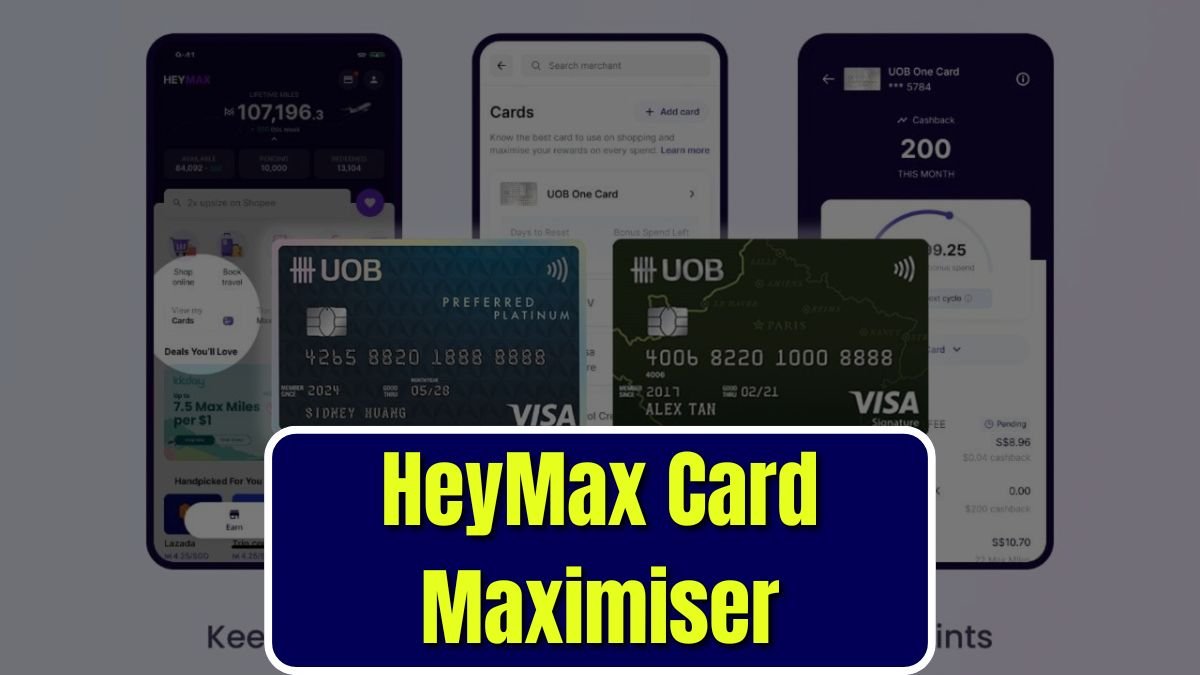
HeyMax Card Maximiser now supports both cards
Good news — HeyMax Card Maximiser now supports:
- UOB Preferred Platinum Visa
- UOB Visa Signature
Once linked, it automatically tracks:
- Remaining bonus caps
- Category spend
- Minimum spend (for UOB Visa Signature)
All running quietly in the background.
No spreadsheets.
No guessing.
No “eh did I hit already or not?”

Important note before you link
- First-time linking: Tracking starts from the next calendar or statement month
- Previously linked cards: Current month data already included
So yes, earlier you link, the better.
UOB Preferred Platinum Visa — how it works now
Quick refresher on the 4 mpd rules:
| Category | Minimum Spend | Bonus Sub-Cap |
|---|---|---|
| Mobile contactless | None | S$600 per calendar month |
| Selected online spend | None | S$600 per calendar month |
Total bonus cap: S$1,200 per calendar month
The tricky part?
You must spend in both categories to fully use it.
HeyMax shows each sub-cap clearly, so you instantly know:
- How much you’ve used
- How much you’ve got left
- When the cap resets
Bonus cap resets monthly, but remember — UOB uses posting date, not transaction date. That last-minute tap might roll into next month.
UOB Visa Signature — even more room for error
This one’s stricter.
| Category | Minimum Spend | Bonus Sub-Cap |
|---|---|---|
| Contactless & petrol | S$1,000 | S$1,200 per statement month |
| Foreign currency | S$1,000 | S$1,200 per statement month |
Miss the minimum spend?
You get nothing.
HeyMax handles this properly — but you must enter your statement month end date.
Many Singaporeans (myself included) shift it to align with calendar month. Just key in the last day, and the system does the rest.
Real example:
HeyMax flagged I was S$18 short on minimum spend. I genuinely thought I’d already hit it.
That’s exactly how people get caught.
Why this makes life so much easier
Yes, there were workarounds.
- Supplementary cards
- Splitting categories manually
- Mental tracking
But let’s be real — that’s messy.

HeyMax removes all that friction.
You spend normally.
The app keeps score.
You stop bleeding miles.
For most Singaporeans who juggle multiple cards, this is a massive relief.
Quick recap: How to use HeyMax Card Maximiser
Getting started is straightforward:
- Log in to your HeyMax account
- Go to Your Cards
- Click Add Card and follow instructions
A S$0.01 or S$1 test charge will appear and later be refunded. Totally normal — similar to ShopBack GO.
Once linked, HeyMax will:
- Track spending
- Calculate points
- Deduct from bonus caps automatically
For statement-month cards, you’ll be prompted once to set your cut-off date.
That’s it.
Supported cards (points & cap tracking)
HeyMax supports many Visa cards, but points and bonus cap calculations currently apply to selected ones, including:
- UOB Preferred Platinum Visa
- UOB Visa Signature
- Citi Rewards Visa
- HSBC Revolution
- DBS yuu Visa
- StanChart Journey Card
Coverage keeps expanding, but Visa-only for now.
Frequently Asked Questions
Does HeyMax work with UOB Lady’s Card?
No. The Card Maximiser only works with Visa cards, and UOB Lady’s cards aren’t supported.
Will my past transactions be tracked?
Only transactions after linking are counted. If you linked earlier, current month data is included.
Is HeyMax free to use?
Yes. Creating and using a HeyMax account is free for card tracking.

 Join
Join